
Dark Web Apps Download: A Guide to Safety
Learn how to securely download dark web apps and protect your privacy with essential tips and trusted sources.
- First published:
- Author: Miles Carter
- 5 minutes
Skip ahead
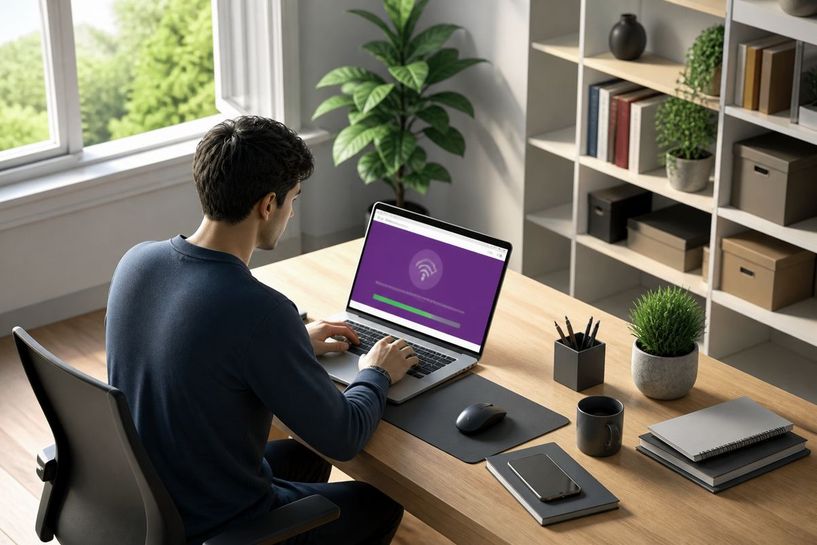
You download Tor Browser for free from the official Tor Project website at https://www.torproject.org/download, secured by HTTPS. Version 16.0, released on 29 October 2026, works on desktop and Android devices running Android 8.0 or newer. Verify the download with GPG to confirm a good signature from Tor Browser Developers. First, visit the site directly or use GetTor if it is blocked in your area.1234
What You Receive
Secure Tor Browser Download
You receive step-by-step instructions to download Tor Browser 16.0 from the official Tor Project website using HTTPS. This method makes tampering much harder and includes options like official mirrors through EFF, La Cebolla, or the GetTor service with links from Dropbox, Google Drive, and GitHub when the main site is blocked.
Signature Verification Guidance
You receive clear steps to verify the cryptographic signature of your download with GPG. The process confirms a good signature from Tor Browser Developers, ensuring the file remains untampered before you install it on your device.
Android Installation Details
You receive exact requirements and sources for Tor Browser for Android, which needs version 8.0 or newer on aarch64, arm, or x86_64 devices. Options include the Google Play Store, F-Droid via the Guardian Project, the Tor Project website, or GetTor.
Built-in Privacy Protections
You receive an overview of how Tor Browser isolates each site, clears cookies and history automatically, and routes traffic through three relays with encryption. These features protect you from third-party trackers and ads across sessions.
Safety Best Practices
You receive specific rules such as avoiding BitTorrent, blocking risky plugins like Flash, and not opening downloaded DOC or PDF files while connected. Following these prevents deanonymisation and keeps your Seattle-based connection secure.
How to Get Tor Browser Safely
- Decide which platform you need
You must first choose between desktop and Android versions. Tor Browser 16.0 works on both and requires Android 8.0 or newer for mobile devices running aarch64, arm, or x86_64. There is no official Tor Browser for iOS so you should use Onion Browser instead. Check your device meets these requirements before you continue.
- Download from the official source
Visit https://www.torproject.org/download using HTTPS to obtain the safest copy. If that site is blocked in your area use official mirrors through EFF, La Cebolla, or the GetTor service that sends links hosted on Dropbox, Google Drive, or GitHub. Always avoid third-party sites to reduce tampering risks.
- Verify the downloaded file
The Tor Project recommends checking the cryptographic signature with GPG. Successful verification shows the message "Good signature from 'Tor Browser Developers (signing key) [email protected]'". Perform this step every time you download to confirm the file has not been altered.
- Install and configure basic settings
Run the installer on desktop or install from Google Play Store or F-Droid via the Guardian Project repository on Android. After installation open the browser and review the redesigned Settings. No additional plugins should be added because they can reveal your IP address.
- Test that everything works
Visit check.torproject.org to confirm your traffic routes through three relays. Browse a few regular sites first and note that cookies and history clear automatically when you close the browser. This test usually completes within one minute if your connection is stable.
- Follow safe usage rules from day one
Never open downloaded DOC or PDF files while connected because external applications may leak your real IP. Avoid BitTorrent completely as it deanonymises your traffic and slows the network for others. Remember that only about 8,400 onion domains are live out of 55,000 found so most activity remains regular private browsing.
Risks, Limitations, and Guarantees
Using Tor Browser and accessing the dark web involves certain risks and limitations. Firstly, while the Tor Browser provides a degree of anonymity, it does not guarantee complete privacy. Data exposure reports on the dark web increased by 15.4% in 2024, highlighting the ongoing threat of personal data leaks5.
You should also be aware of the limitations of the Tor network. For instance, using BitTorrent with Tor can expose your IP address and slow down the network for everyone6. Additionally, opening downloaded documents, especially DOC and PDF files, while online can lead to unintentional data leaks as these files may connect to the internet outside of Tor6.
Before downloading, verify the cryptographic signature of the Tor Browser using GPG. This step ensures the file has not been tampered with, providing a layer of security4. If you encounter issues accessing the official Tor Project website, consider using official mirrors or the GetTor service for alternatives2.
In terms of guarantees, while Tor Browser is the officially supported tool for accessing onion services, it is crucial to follow best practices to maintain anonymity. Avoid installing additional plugins, as they may compromise your privacy6. Always stay informed about the risks associated with dark web browsing, and regularly check for updates or changes in security practices.
Quick answers
- How to access dark web safely
You access the dark web safely by downloading Tor Browser only from the official site at https://www.torproject.org/download secured with HTTPS.1 Always verify the file signature with GPG to see the good signature from Tor Browser Developers.4 Remember that in 2024 data exposure reports rose by 15.4 percent so limit what personal information you share.5 Check your connection at check.torproject.org before you visit any onion sites.
- Dark web Browser Android
You obtain the official dark web browser for Android directly from the Tor Project website or Google Play Store.4 It requires Android 8.0 or newer on aarch64 arm or x86_64 devices and isolates each site while clearing cookies automatically.7 Tor Browser 16.0 released on 29 October 2026 added a redesigned settings menu for easier control.3 Avoid any unofficial apps that promise extra features since they often bypass protections.
- Best dark web browser
You should choose Tor Browser as the best dark web browser because the Tor Project develops and supports it for onion services.7 It routes your traffic through three relays with full encryption and blocks risky plugins like Flash that could reveal your IP.6 On Android you install it from F-Droid via the Guardian Project or GetTor if needed.4 For iOS users the recommended alternative is Onion Browser by Mike Tigas.
- How to download and access the dark web safely on Tor
You download Tor Browser safely from https://www.torproject.org/download or use GetTor via Dropbox Google Drive or GitHub when the site is blocked in Seattle.2 After installation visit an official onion mirror such as 2gzyxa5ihm7nsggfxnu52rck2vv4rvmdlkiu3zzui5du4xyclen53wid.onion to confirm you are connected.8 Never open PDF or DOC files while online because they may load external resources and expose your real IP.6 Studies show only about 8,400 onion domains are reachable so most of your activity will be private browsing.9
Reading list
[1] Downloading - Getting started - Tor Browser — Tor
[2] Downloading - Getting started - Tor Browser — Tor
[3] New Release: Tor Browser 16.0 - News - Tor Project Forum
[4] Installing - Getting started - Tor Browser — Tor
[5] Cyber attacks on the rise: Data theft on the dark web up 15% in 2024 - CRIF.com
[6] Tor Browser best practices - Security - Tor Browser — Tor
[7] Tor Browser for Android — Tor
[8] Tor Project’s Official Onion Sites - The Hidden Wiki
[9] Dark Web Myths and Realities: Separating Hype from Truth | Recorded Future
 Choosing a Dark Web Name: Tips for AnonymityDiscover how to choose a dark web name that maximises your anonymity and protects your identity while navigating online. Learn practical ti…
 Dark Web Market Sites: Navigating SafelyExplore dark web market sites to find reliable platforms for various goods and services while ensuring your safety and privacy online.
 Dark Web Shops: A Guide to Safe ShoppingExplore dark web shops safely with practical tips for secure shopping and a list of reliable marketplaces.